User Manual
Pole Names
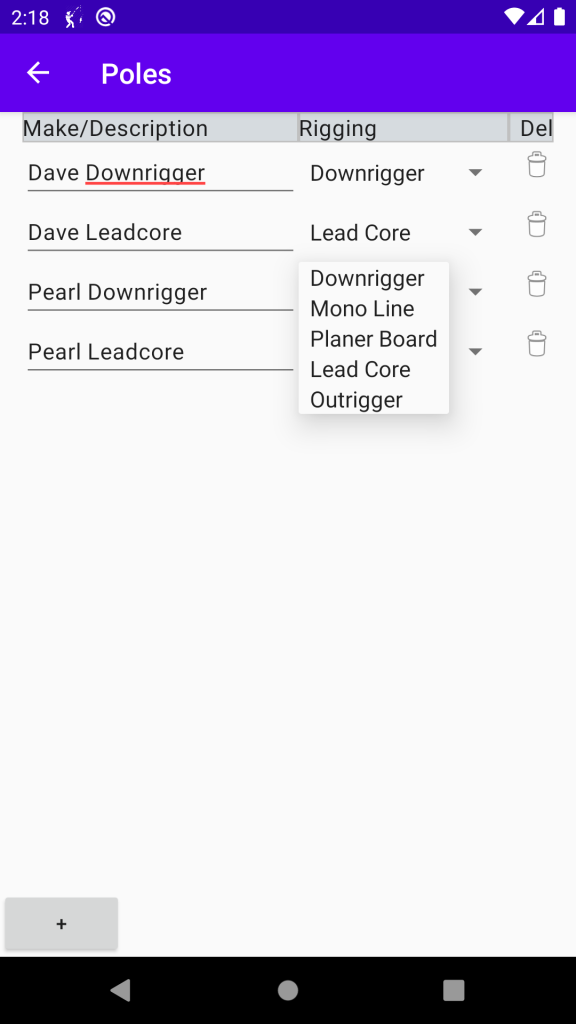
FISH SETTINGS –> POLES
Add or Delete poles.
Change the name of the pole, or its Rigging.
In Fish Settings you can fully customize your setup.Place Poles and Edit any action (lets you edit any of of the times you caught a fish (change Lure / Color, depth etc.)
Riggings
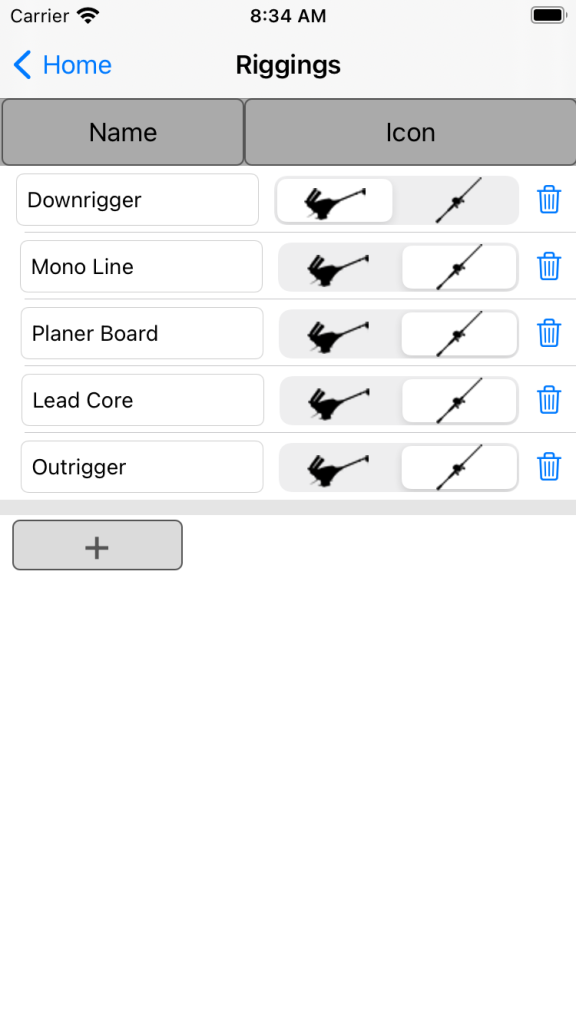
FISH SETTINGS –> RIGGINGS
Add or Delete Riggings.
Change the name of the rigging, or the Icon the representing the Rigging.
What is a Rigging?
A Rigging is how the type of setup for the fishing pole. The selected Icon is associated to the Pole, and will be displayed on the Main Screen.
Place Poles
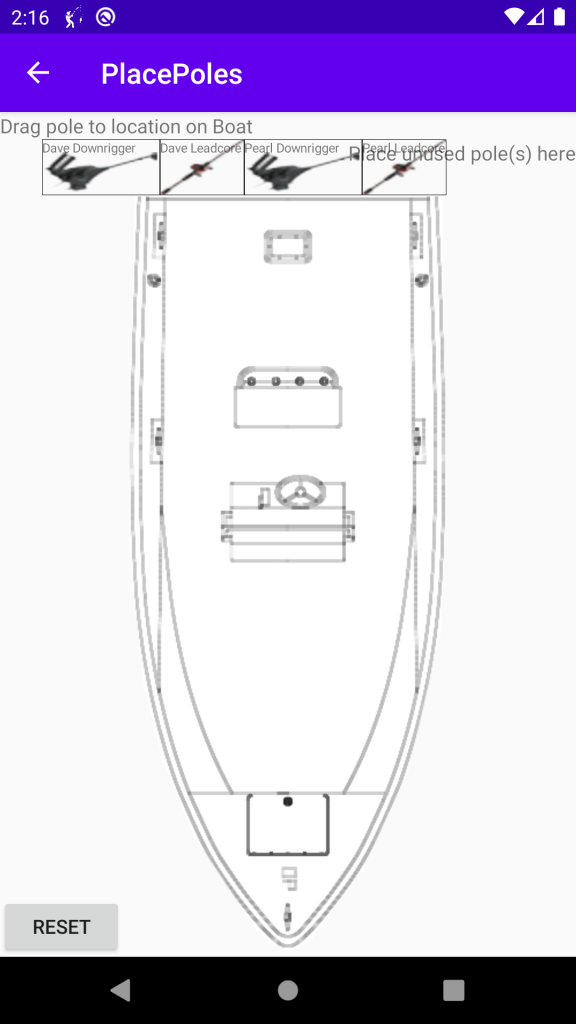
FISH SETTINGS –> PLACE POLES
Once your Riggings have been defined and your poles are associated with riggings, you can place the poles on the boat.
The screen open like the screen on the left. It can go back to this by tapping the Reset Button, (bottom left).
Select and Drag the pole onto the boat (or water for Out-Riggers).. Once placed, it can always be moved by dragging it somewhere else.
Home Screen
HOME PAGE
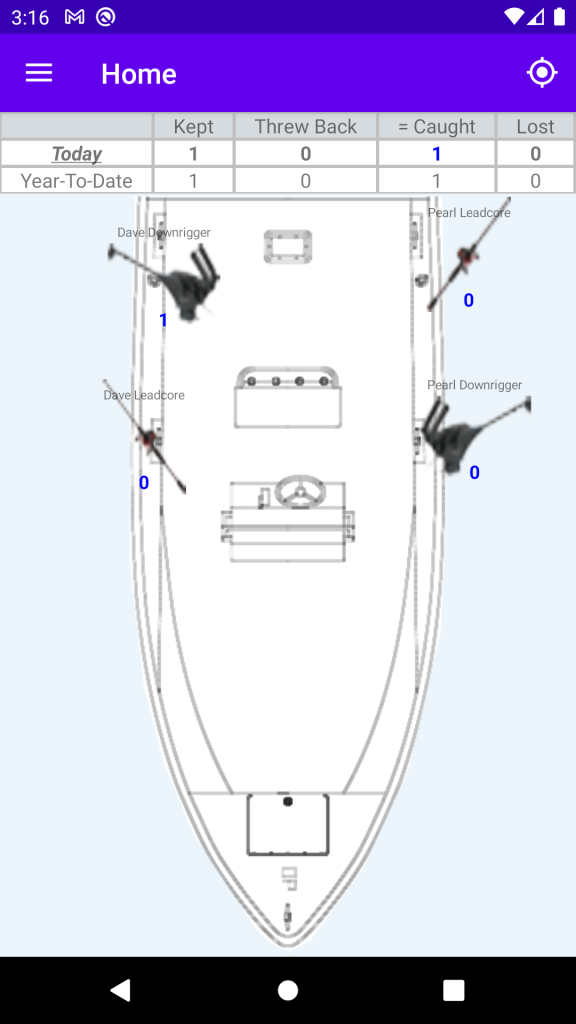
Once your poles have been place on the boat, your Home Screen show where the poles are placed.
The top shows the results for today and Year to Date totals. The kept, shows how many fish are in your boat.
Numbers under the pole Icon show the numbers of fish each pole has caught today.
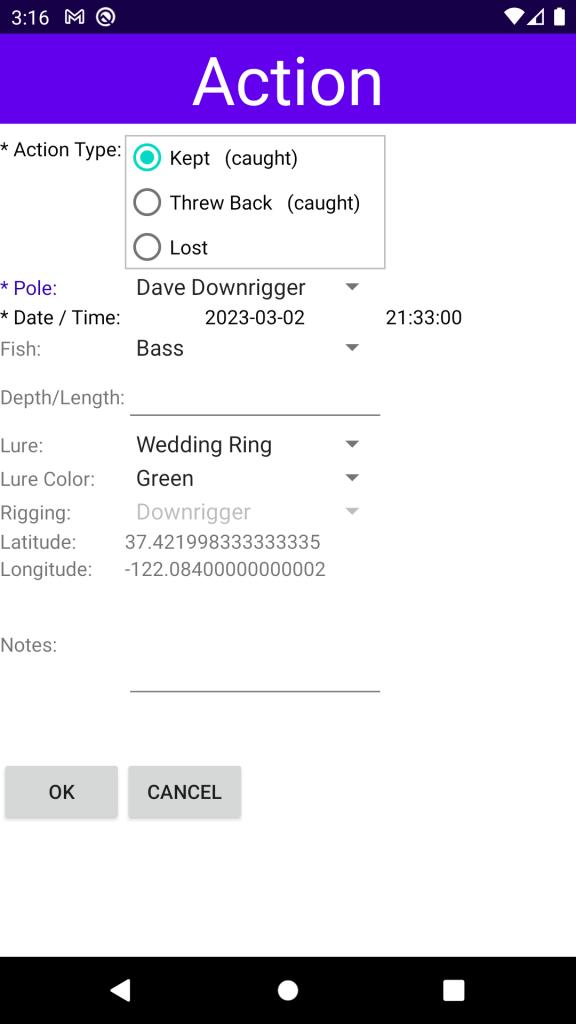
Tapping the pole will give you an entry screen (below) to enter the fish information.
Recording an Action
TAP POLE ICON
Tapping the pole Icon displays the Action Screen.
It will remember the last fish you recorded, populating the Fish, Depth/Length, Lure and Lure Color. You can modify each item.
The GPS Coordinates will be captured (location detection is required). You will be able to see the the “caught” fish on the map (below).
Tap OK when you are finished capturing the information.
Mapping
MAP ICON on HOME Screen

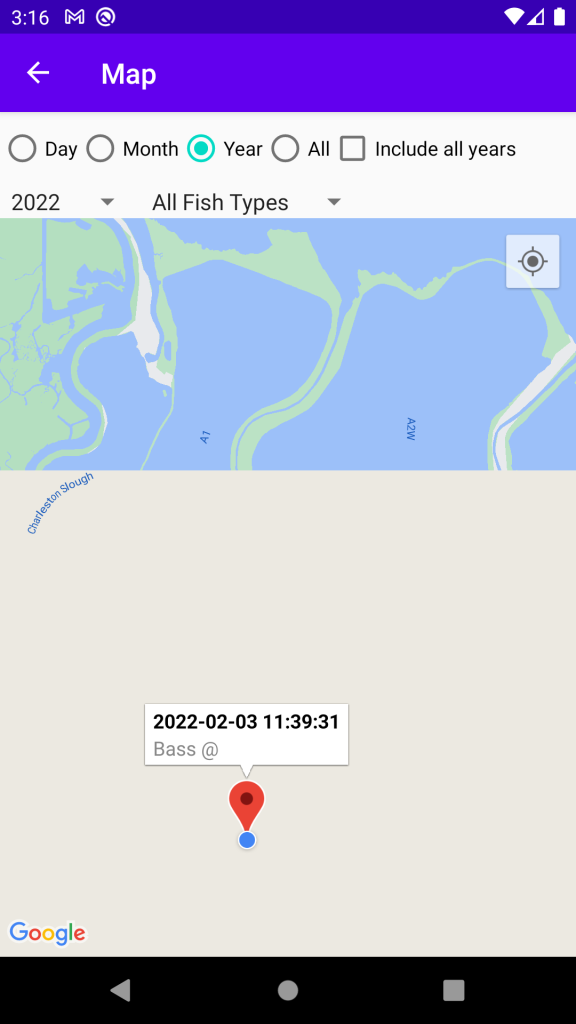
Locate the Map Icon at the top-right of the HOME page, and tap it.
Google Maps will show the map and location of the fish (the emulator for this is a bad example).
Tap any tag, and it will show you the date/time, fish and depth.
You can filter by fish type, Month, Day and Year.
Reports
REPORTS
Reports are run from the menu. This is an example of the report “Fish Caught by Time of Day”.